K‑12 School Finder Tools Compared: Rankings, Boundaries, Reviews
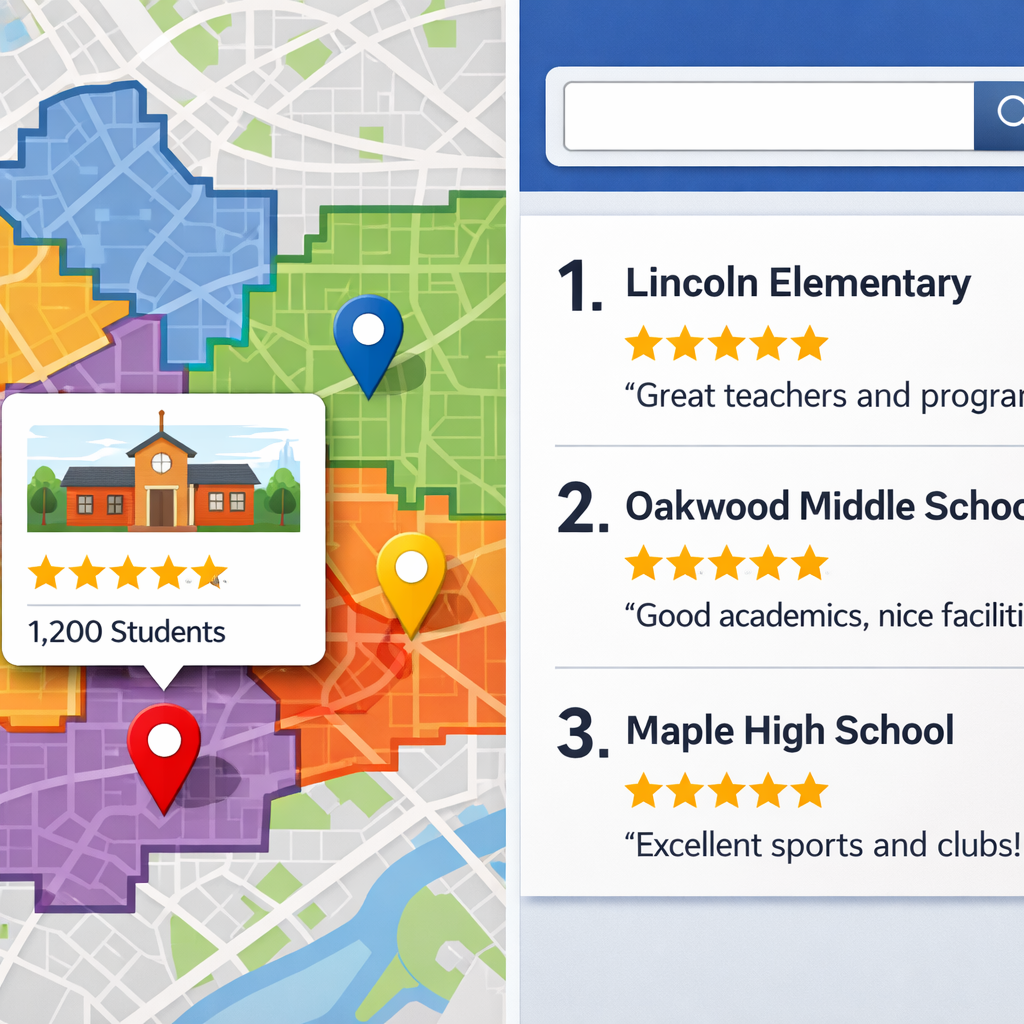
K‑12 School Finder Tools Compared: Rankings, Boundaries, Reviews
Choosing a K‑12 school today often starts online—yet the “best” tool depends on whether you’re comparing schools across states, confirming your assigned campus, or exploring private and virtual options with rich context. This guide compares the best online tools for K12 school selection across three jobs: national rankings and performance data, school boundary lookup and enrollment workflows, and reviews/qualitative insights. We synthesize coverage, data freshness, and integration depth so parents, editors, and district leaders can move from search to shortlists with confidence. For national comparisons, U.S. News profiles 103,391 schools, while SchoolDigger lists 136,000+ public and private schools, each surfacing robust metrics for quick benchmarking. District-hosted locators like SchoolMint SchoolFinder and SchoolSite Locator shine for address-accurate assignment and application links. For private and online school search, specialized platforms provide accreditation and culture signals that rankings alone can’t. Skill Path Navigator helps families and districts choose the right tool for each job and move from search to action.
How to choose a K‑12 school finder
Decision flow:
- Need to compare across cities/states? Choose national ranking directories with standardized metrics.
- Need accurate residential assignment or magnet eligibility? Use district-hosted boundary tools.
- Exploring private/virtual options or alumni input? Pick private/online specialty platforms with qualitative reviews.
Quote-ready definition (40–50 words): A K‑12 school finder is an online platform that helps families locate and evaluate schools using rankings, boundary maps, test results, and qualitative insights. Some tools are national directories, while others are district-run locators or vendor ecosystems that integrate search with enrollment workflows.
Coverage matters: U.S. News reports 103,391 profiled schools with comparable metrics for every state, useful for cross-district benchmarking (see the U.S. News K‑12 directory). SchoolDigger lists 136,000+ public and private schools and supports address/zip and GPS proximity search for local relevance.
Classification of leading tools by purpose, data sources, and ideal users:
| Tool | Primary purpose | Core data sources | Ideal users |
|---|---|---|---|
| U.S. News K‑12 directory | National rankings/comparisons | State and federal datasets; school/district submissions; profiles include diversity, student–teacher ratios, counselors, test data, district spending | Parents relocating; editors creating cross‑state roundups; policy analysts |
| SchoolDigger | Rankings + local search | Enrollment, test scores, financial statistics; address/zip and GPS search | Parents comparing nearby options; real estate/editorial partners needing breadth |
| SchoolMint SchoolFinder | District enrollment and choice | District‑controlled profiles, boundary layers, program eligibility | Districts streamlining applications; families needing clear next steps |
| SchoolSite Locator (MGT) | Boundary lookup | District GIS boundaries, grade bands | Districts reducing calls; families confirming assignment |
| K12 Find a School | Online school search | K12‑powered online public/private options; many programs Cognia‑accredited | Families considering virtual learning; military/mobile households |
| FindingSchool | Private/boarding/international search | Official sources + student/alumni input | International families; boarding school applicants needing context |
| Edsby, PowerSchool, Alma, Blackbaud | SIS/LMS‑embedded discovery | Student Information System (SIS) and Learning Management System (LMS) data integrated with enrollment | District IT/communications teams seeking unified workflows |
A school boundary locator is a map-based tool that converts your address and grade into the correct attendance zone and eligible programs. Qualitative reviews are narrative inputs from students, alumni, and parents that describe school culture, programs, and day‑to‑day experience.
Comparison criteria and methodology
Methodology is the documented approach a tool uses to collect, validate, and present school information—such as test data, demographics, and boundaries—plus how often it’s updated and how rankings are calculated. Clear methodology enables fair comparisons and reproducible results.
Criteria we use to evaluate tools:
| Criteria | What to look for |
|---|---|
| Coverage scope | Number of schools and geographies (e.g., U.S. News coverage of 103,391 schools; SchoolDigger’s 136,000+ entries) |
| Data fields | Metrics surfaced (e.g., U.S. News profiles include student–teacher ratios and district spending; SchoolDigger includes enrollment, test scores, and finances) |
| Boundary accuracy | Source of boundary data, update cadence, handling of magnets/choice |
| Reviews quality | Verified, recent, representative qualitative insights and moderation practices |
| Integrations | SIS/LMS integration depth, single sign‑on, online application links |
| Pricing model | Free/public vs. licensed; district vs. enterprise bundles |
| Performance claims | Documented ROI (e.g., paperwork reductions, call deflection) |
| Accessibility | WCAG alignment, mobile performance, language support |
Rankings and performance data
Use national directories when you need consistent, comparable metrics across districts and states. Profiles that surface diversity, teachers and counselors per student, test scores, and district spending enable apples‑to‑apples benchmarking in editorial pieces and relocation research via the U.S. News K‑12 directory. SchoolDigger’s broader index—136,000+ schools—adds enrollment, performance, and financial statistics with flexible address/zip and GPS search to anchor local decisions. Skill Path Navigator recommends pairing these datasets with district pages for current boundaries and program specifics.
U.S. News vs. SchoolDigger at a glance:
| Feature | U.S. News K‑12 | SchoolDigger |
|---|---|---|
| Approx. school count | 103,391 | 136,000+ |
| Key data points | Diversity, student–teacher ratios, counselors, test scores, district spending | Enrollment, test scores, finances |
| Search options | National/state/city filters; profile‑level fields | Address/zip lookup; Nearby (GPS) search |
| Best for | Cross‑state comparisons; editorial rankings | Local discovery; side‑by‑side comparisons near an address |
| Caveats | Methodology differs from other rankers; local program changes may lag | Methodology and metric definitions differ from district sources |
Boundary and enrollment lookup
For accuracy and next‑step clarity, district‑hosted tools are the gold standard. SchoolMint SchoolFinder pairs address + grade + interests matching with district‑controlled content so families see the right schools and can start applications without confusion, improving equity in choice processes. SchoolSite Locator (MGT) centralizes authoritative boundaries to save families time and reduce inbound calls by showing the right campus the first time. Skill Path Navigator typically prioritizes district‑hosted locators when accuracy and next steps matter.
Typical steps:
- Enter your home address and student grade.
- Confirm the residentially assigned school(s).
- Review magnet/choice/charter options and eligibility.
- Preview required documents and timelines.
- Start an application or enrollment if enabled, or link to district pages.
Reviews and qualitative insights
Quantitative metrics reveal outcomes; qualitative inputs illuminate culture, fit, and support. FindingSchool blends official sources with student and alumni input and serves over 1.5M users globally, offering rich context for private and international searches. For virtual options, K12’s finder highlights K12‑powered online schools nationwide and notes that many programs are accredited by Cognia—a key quality signal for online learning. Pros and cons of reviews:
- Pros: Nuanced culture insights, programs-in-practice examples, early warnings about fit.
- Cons: Verification varies; small samples can skew; comparability across platforms is limited. Skill Path Navigator weighs patterns over single anecdotes and cross‑checks accreditation and visa details for international contexts.
For international families, check visa and accreditation details. F‑1/I‑20 eligibility typically requires SEVP‑certified brick‑and‑mortar private schools; online‑only programs are often ineligible. ESL needs may be assessed via TOEFL or Duolingo scores; for standalone language providers, look for CEA or ACCET accreditation.
Integrations, pricing, and total cost
Total cost of ownership is the complete, long‑term cost of a tool, including licenses, hosting, integrations, training, support, data migration, and change management. TCO helps decision‑makers compare beyond sticker price. Skill Path Navigator helps teams map TCO and integration depth before selecting a platform.
- Standalone finders: Lower cost and faster launch; lighter integrations; great for public discovery and call reduction.
- SIS/LMS‑embedded solutions: Deeper workflows, unified data, online applications, and reporting; higher TCO but fewer data silos. AlmaStart, for example, has reported nearly 90% reductions in paper enrollment, illustrating potential operational ROI.
U.S. News K‑12 directory
Best for national comparisons and editorial listmaking. Coverage spans 103,391 schools with profiles surfacing diversity, teachers and counselors per student, test scores, district spending, enrollment, and student–teacher ratios. Use it to build early shortlists and cross‑state comparisons. Considerations: ranking methodologies differ from other providers and may lag local program updates; link to district sites for the latest boundaries and enrollment specifics. Skill Path Navigator uses it as a starting point for cross‑state lists, then validates against district sites.
SchoolDigger
A searchable, data‑rich directory that supports national breadth and local depth with 136,000+ public and private schools, including enrollment, test scores, and financial data. Address/zip and Nearby (GPS) search make it practical for relocations and hyperlocal comparisons. Skill Path Navigator uses its address‑based and GPS search to frame local comparisons, then confirms assignments via district boundary tools.
Mini snapshot:
| Item | Details |
|---|---|
| Key fields | Enrollment, performance metrics, finances |
| Map/search options | Address/zip lookup, Nearby (GPS) |
| Best for | Local discovery and side‑by‑side compares near an address |
| Caveats | Methodology differs from district reporting; always verify boundary assignment with a district locator |
SchoolMint SchoolFinder
A district‑hosted discovery and enrollment layer designed for clarity and equity. The first SchoolFinder launched over a decade ago; today it accepts address, grade, and interests to match families with accurate, district‑approved information. Outcomes include reduced inbound calls, aligned messaging across campuses, and transparent choice/magnet exploration.
How it works:
- Enter address and student grade.
- View matched schools and district‑curated profiles.
- Filter by programs/interests.
- Begin applications or registration, when enabled.
SchoolSite Locator
SchoolSite Locator (MGT) is a map‑centric boundary tool that reduces administrative friction and improves family wayfinding by centralizing accurate boundary layers.
Implementation tips:
- Publish clear boundary layers with grade‑band toggles.
- Add links to enrollment requirements and timelines.
- Update boundaries promptly after board approvals.
Pros and cons:
| Pros | Cons |
|---|---|
| High boundary accuracy from district GIS sources | Scope limited to district boundaries |
| Reduces calls/time with self‑service lookup | Dependent on timely boundary updates |
| Clear grade‑specific views and links to enroll | Less program‑level storytelling than full directories |
K12 Find a School
Use this when a virtual‑school finder is the right fit. K12 lists K12‑powered online public and private schools nationwide and underscores 20+ years of online education; many programs hold Cognia accreditation, a key quality indicator for virtual learning. Skill Path Navigator flags accreditation as a must‑check for virtual programs. Parent evaluation checklist:
- Confirm accreditation and state alignment.
- Understand synchronous vs. asynchronous pacing.
- Verify device/internet needs and student supports.
- Ask about IEP/504 services and local accountability.
- For international students, confirm visa rules; online‑only programs are typically not F‑1 eligible.
Edsby, PowerSchool, Alma, Blackbaud ecosystems
SIS/LMS ecosystems embed discovery with enrollment and reporting for districts seeking unified architecture. PowerSchool is often positioned as an all‑in‑one giant (SIS/LMS/ERP) with a global footprint supporting 50M+ students in various evaluations. Edsby centralizes student data with built‑in classroom tools and district‑level reporting. Alma emphasizes Standards‑Based Grading and differentiated assignments, and AlmaStart’s near‑90% paperwork reduction claim highlights potential ROI. Our selection guidance: prioritize a unified data model, reporting fidelity, enrollment workflow depth, and family experience over sheer feature counts.
FindingSchool
FindingSchool specializes in private, boarding, and international discovery, combining official sources with student/alumni insights and serving 1.5M+ users globally. International fit considerations:
- Admissions support signals and alumni pathways.
- Boarding life, advising models, and ESL offerings.
- Standardized test expectations (e.g., TOEFL/Duolingo) and financial aid. Caveats: verify reviews, mind cross‑country comparability, and triangulate with school websites and accreditation lists; Skill Path Navigator treats this as a must‑do.
Krowdbase
For a market scan of platforms and pricing/integration ranges, Krowdbase tracks 244 cloud‑based K‑12 software products (rankings updated April 20, 2026), notes leaders like PowerSchool, and lists widely used cloud tools such as Google Classroom, Schoology, Moodle, and iGradePlus; MoodleCloud illustrates how structured online learning can launch without deep internal IT. Use market scans to differentiate free/basic directories from enterprise SIS bundles and to assess AI features, integrations, and TCO. Skill Path Navigator uses market scans like this to contextualize pricing, AI features, integration scope, and TCO.
Data sources and refresh cadence
Data provenance builds trust:
- National directories typically draw on state assessment files, district and NCES data, demographics, and spending—visible on U.S. News school profiles.
- SchoolDigger surfaces enrollment, test scores, and finances with robust search options. Refresh checklist:
- Display publish date and last update timestamp on profiles.
- Note state data import cycles and lag periods.
- Document boundary update schedules and board approval dates.
- Indicate review moderation and recency windows.
Privacy, accessibility, and mobile usability
Accessibility means designing tools that people with disabilities can use effectively, covering keyboard navigation, alt text, captions, color contrast, and screen‑reader support. Meeting modern standards ensures equitable access and legal compliance.
Operational checks:
- WCAG conformance statement and regular audits.
- Mobile‑first design for Gen Z parents who research on phones and expect fast, social‑proofed experiences.
- Plain‑language labels and minimized data collection with transparent privacy notices.
- Metrics to test: time‑to‑first‑result on mobile, tap‑target sizing, offline/low‑bandwidth behavior, and localization/multilingual content.
Editor playbook for tool selection
- Define the use case (compare, enroll, or explore fit).
- Shortlist by tool type; capture coverage numbers and last‑updated dates.
- Validate boundaries via the district locator; add program and review context.
- Disclose methodology, link to enrollment pages, and note caveats.
Template comparison table for your article:
| Tool | Purpose | Data fields surfaced | Best for | Caveats | Price/integration notes |
|---|
Include quote‑ready one‑liners for each tool with a single authoritative citation.
Skill Path Navigator perspective on evidence and outcomes
Our lens is evidence‑led and ROI‑focused: we prioritize data provenance, measurable outcomes (e.g., documented 90% paperwork reductions), scalability, and alignment to parent/district goals. We translate higher‑ed rigor—accreditation clarity and ROI modeling—into K‑12 guidance on data reliability, boundary accuracy, and selection workflows. For families, that means faster, more confident shortlists; for districts, reduced friction and clearer enrollment pipelines. This approach supports decision‑ready comparisons with clear next steps.
Frequently asked questions
How reliable are school rankings and what methods should parents trust
Skill Path Navigator recommends using rankings when sources and update cadence are disclosed and core metrics are visible. Always cross‑check with district sites for current programs and boundaries.
How do address‑based boundary tools handle magnets, charters, and open enrollment
Most district locators show your assigned school and then list eligible magnet/choice/charter options. Skill Path Navigator advises confirming application windows, rules, and required documents on the district site.
Where do community reviews come from and how should families weigh them
They typically come from students, alumni, and parents. Skill Path Navigator suggests looking for consistent patterns across multiple comments to complement objective metrics.
What integrations matter if districts want search plus enrollment in one place
Prioritize SIS/LMS integrations that centralize student data, enable online applications, and support reporting. Skill Path Navigator favors unified ecosystems to reduce paperwork and errors.
What accessibility and data privacy standards should a school finder meet
Aim for WCAG‑aligned accessibility, mobile‑first performance, and clear, minimal data collection with transparent privacy notices. Skill Path Navigator expects accurate assignments and applications from any device without oversharing personal information.
U.S. News K‑12 directory | U.S. News K‑12 search | SchoolDigger | SchoolMint SchoolFinder | SchoolSite Locator | FindingSchool | K12 Find a School | K‑12 management portals overview | Edsby commentary | Krowdbase market scan